Added: Sankey, Mekko and error bars
We’ve added several new chart recipes to our documentation. Follow energy, money or people through a Sankey diagram, with wider connections for larger amounts. Mekko graphs show size and share together: wider columns represent larger markets, while the segments show each company’s share within them.
Add error bars to bars or points to show uncertainty around an estimate, such as a confidence interval. All three are available as plugins, currently in beta.
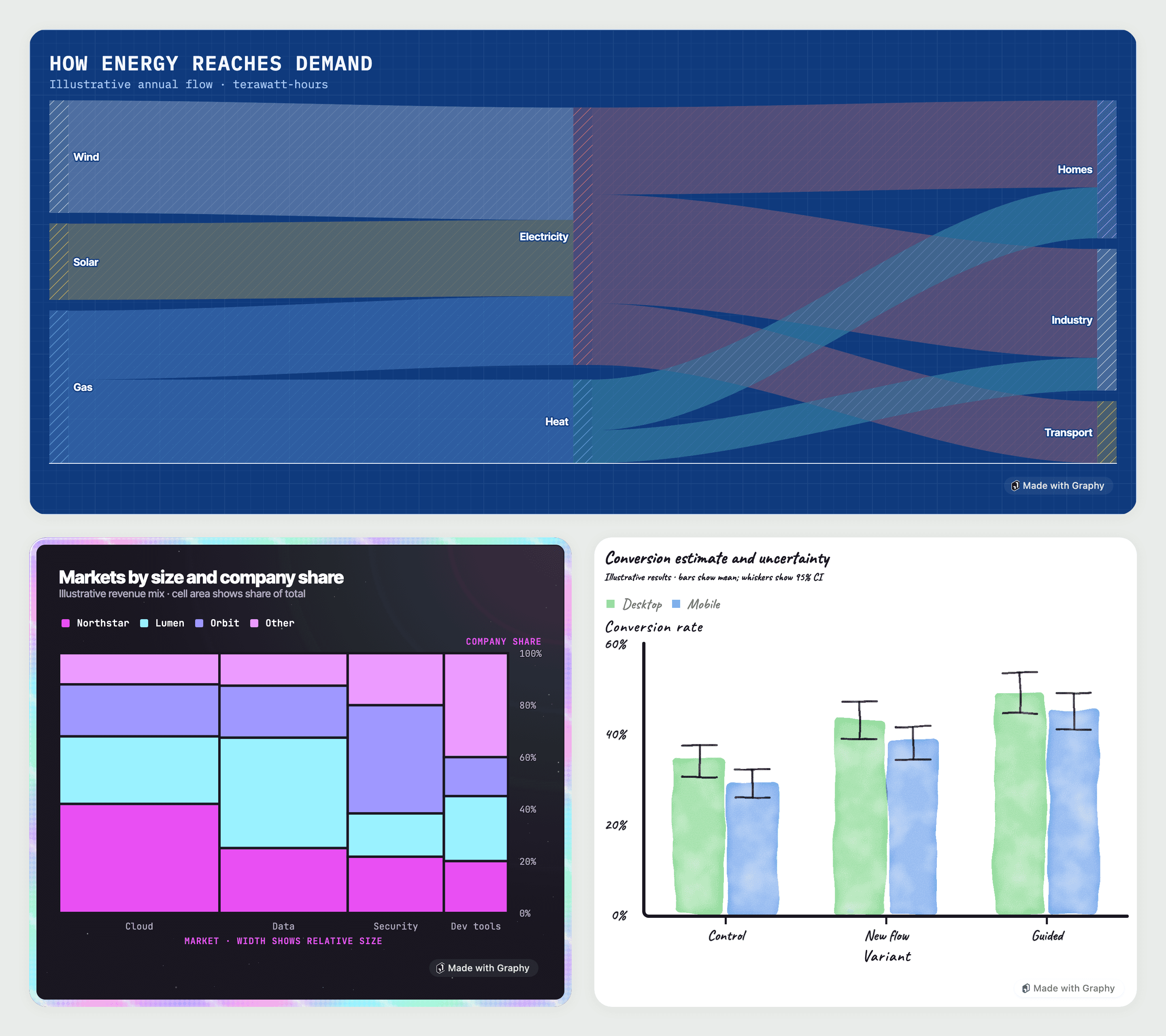
Browse documentation for Sankey diagrams, Mekko graphs and error bars.
Point and edit (work in progress)
We’re adding more ways to change a graph directly from its menus. This week’s work includes switching between supported graph types and side-by-side, stacked or 100% layouts.
We’ve also been working on controls for:
Line thickness, solid, dashed or dotted lines, fill beneath a line and the visibility and size of its points.
Smoothing lines, handling missing values and applying line styles and point sizes across the graph.
Bar thickness and grid-line style and thickness.
A second vertical axis, with its own visibility, labels, scale and limits.
Choosing between the theme’s colours and presets supplied by the app through
palettePresets.
Selection menus use your data’s names, such as “Region: North”, and dashed selection outlines use the theme’s text and background colours to stay visible. Apps can replace menus through editMenus on EditableGraphRenderer, or remove a menu with null.
Telemetry
Production browser builds of @graphysdk/react now send a count the first time a graph appears, including its type and basic feature-use flags. Telemetry is on by default; set telemetry={false} on GraphProvider to turn it off.
Themes now include colour ranges for values on either side of a midpoint, such as positive and negative changes, using
domainMid.The “Made with Graphy” link now uses the Graphy logo on light and dark backgrounds.
Custom graph plugins can check the types of mapped columns and report invalid data more clearly.
Use
scale.color.discrete()in place ofscale.color.palette()and set custom colours withrange, replacing the oldpaletteoption andcustomPalettesprop.Custom themes now define
categorical,sequentialanddivergingcolour lists underpalettes. Continuous colour scales use a theme list or an explicitrangeinstead of a namedscheme.Set selection outline colours through
style.editOutline.hover()andstyle.editOutline.selected()in place of the removededitOutlineHoverandeditOutlineSelectedtokens.
Changing between side-by-side, stacked and 100% layouts clears axis limits that no longer fit the values.
Switching to a pie gives each category or date its own slice, and switching back removes colours added for those slices.
A line’s points stay with it when changing graph type or moving it to another vertical axis.
Changing point sizes across the graph keeps hidden points hidden.
Bubble-size legend symbols now match the fill used by their points.
Axis titles and labels stay on the correct side on right-to-left pages, and editor controls and arrow keys follow the page’s direction.
Dotted lines stay round at thicker sizes, and dashed grid lines work on themes with solid grids.
Dropdowns in custom point-and-edit menus now open above the menu without closing it.
Custom graph types that use their own styling no longer fail to draw because shared shadow, blending or transparency values are missing.